Beach Doodles Dingbat: More Than Just a Font for Summer Projects
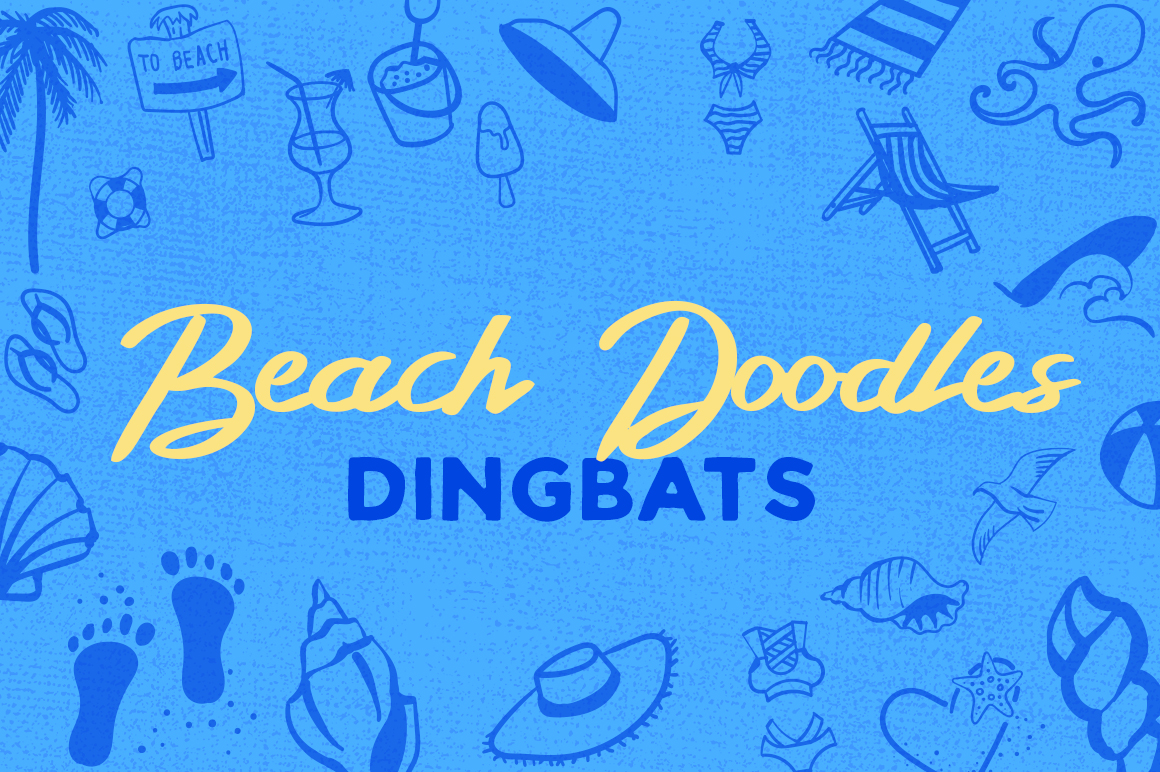
If you have ever tried to design something with a coastal feel, you know the struggle. You search through endless stock photo libraries. You try to find the perfect vector of a seashell or a sand dollar. And then you spend way too much time resizing, recoloring, and positioning each element individually. That is where Beach Doodles Dingbat changes the game. It is not a ordinary font. It is a collection of hand-drawn beach-themed symbols and illustrations packed into a single typeface file. Instead of typing letters, you type icons. A single keystroke gives you a perfectly scaled starfish, a surfboard, or a lighthouse. It is fast, clean, and surprisingly versatile.
What Makes a Dingbat Different from Regular Graphics
A dingbat font works exactly like any other font on your computer. You install it, select it from your font menu, and start typing. But instead of the alphabet, each key corresponds to a specific graphic. In the case of Beach Doodles Dingbat, pressing A might give you a palm tree, while pressing B gives you a pair of flip-flops. This might sound simple, but the practical advantage is huge. You do not need to open a separate graphics program just to place an icon. You do not need to worry about resolution or file formats. You can type your way through an entire beach-themed layout in minutes.
For anyone who has ever spent an afternoon hunting for the right stock vector, this is a relief. The dingbat format also means every doodle sits perfectly on a text line. You can mix it with regular text, change its size, give it color, and even apply text effects like shadows or outlines. That level of control matters when you are working on a tight deadline or trying to keep your design consistent across multiple pages.
Where Beach Doodles Dingbat Fits into Real Projects
Let me walk you through some realistic situations where this type of resource becomes genuinely useful. These are not hypothetical. They are the kinds of tasks that come up regularly for creators, small business owners, and marketers.
Seasonal Social Media Content
Imagine you run a small cafe near the coast. Summer is your busiest season, and you need fresh Instagram posts every week. You could hire a designer, or you could spend hours in Canva. Or you could open a text editor, select Beach Doodles Dingbat, and type out a row of beach umbrellas, cocktails, and waves. Add a short caption, and you have a clean, cohesive graphic in under two minutes. The same applies to Facebook ads, email newsletters, and even printed flyers. The dingbat gives you a consistent visual language that feels handmade, not generic.
Classroom Materials and Educational Handouts
Teachers and educators often need to create worksheets that feel inviting rather than intimidating. A history lesson about coastal communities, a geography quiz about shorelines, or a science unit on ocean life can all benefit from small, relevant icons. Instead of using clip art that looks dated, you can drop in a dolphin, a compass, or a lighthouse directly from Beach Doodles Dingbat. It keeps the page visually interesting without distracting from the actual content. And because it is a font, the icons stay aligned with the text. No awkward spacing or misaligned images.
Personal Projects and Hobby Design
Not everyone uses dingbats for business. Plenty of people pick up resources like Beach Doodles Dingbat for personal fun. Scrapbooking is a classic example, but think bigger. Maybe you are planning a beach-themed wedding and want to create your own invitations, place cards, or thank-you notes. Maybe you are making a summer photo album for your family and want to add small decorative touches to each page. Or maybe you just enjoy journaling and want a quick way to illustrate your thoughts about a day at the shore. The dingbat turns your keyboard into a stamp collection. That kind of instant creative power is surprisingly satisfying.
Practical Considerations Before You Start Using It
This is where a lot of people rush in and then get stuck. Beach Doodles Dingbat is a tool, and like any tool, it works best when you understand its limits and strengths. Here are a few things to keep in mind before you download or buy.
File Format and Compatibility
Most dingbat fonts come in OTF or TTF format. Both work on Windows and macOS. But if you use a specific design program like Procreate, Cricut Design Space, or Silhouette Studio, double-check that it supports font installation. Some mobile apps and web-based design tools do not let you use custom fonts. In those cases, you might need to generate the icons on a desktop first, then export them as images. It is an extra step, but it is easy once you know the workflow.
Scale and Legibility
Because dingbat icons are designed as single characters, they look best at certain sizes. Too small, and the details blur together. Too large, and you might notice pixelation or uneven line weights. Experiment with point sizes. A size between 24 and 48 points usually gives you a clear, readable doodle. If you are printing on a large banner, consider scaling up the text box rather than the font size. That keeps the proportions natural.
Color and Fill
Most dingbats are outlines or single-color designs. Beach Doodles Dingbat may include filled versions or open outlines depending on the set. If you want colorful icons, you will need to apply color through your text settings. Some programs let you add multiple colors to one character, but most will only apply a single color to the entire glyph. If you need multicolored icons, you will need to convert the text to shapes and edit each part separately. That is more work, but it can be done.
Who Benefits Most from Using Beach Doodles Dingbat
I have seen this resource used in ways that surprise even the designers who created it. Small business owners love it because it saves money on stock art. Freelancers love it because it speeds up their workflow. Hobbyists love it because it makes their projects look more polished without requiring design skills. Let me break that down further.
Entrepreneurs and Small Business Owners
If you run a shop, a food truck, a rental property, or any business with a beach or summer angle, consistency matters. Your branding should feel cohesive across your website, your menu, your social media, and your signage. Using a single dingbat font for all your icons creates that consistency automatically. You do not need to match different illustration styles from different sources. Everything comes from the same set. It makes your brand look intentional, not thrown together.
Bloggers and Digital Content Creators
Bloggers often need visual breaks in their articles. A block of text with no images can feel heavy. But finding the right stock photo for every section takes time. Beach Doodles Dingbat lets you insert small icons directly into your content. Place a wave icon next to a heading about tides. Drop a camera icon next to a section about travel photography. It is subtle, but it improves the reading experience. And because the icons are lightweight, they load fast on mobile devices.
Hobbyists and DIY Enthusiasts
Plenty of people buy resources like this simply because they enjoy creating. Maybe you make greeting cards for friends and family. Maybe you run a small Etsy shop selling digital planners. Maybe you design custom T-shirts for your friend group. The dingbat gives you a library of ready-made art that you can use over and over. You are not bound by licensing restrictions that limit how many times you can use a stock image. Once you own the font, you can use it as much as you want.
Real Outcomes You Can Expect
I do not want to oversell this. A dingbat font is not going to replace a professional illustrator. But it will save you time. It will reduce the friction between having an idea and executing it. If you have ever abandoned a creative project because the setup felt too complicated, you know exactly what I mean. Beach Doodles Dingbat lowers the barrier. You do not need to learn vector software. You do not need to search through image libraries. You just type.
One user I know runs a small surf shop. She uses the dingbat to create price tags, stickers, and even the little thank-you cards she slips into each bag. Her customers notice the detail. They comment on the little palm tree next to the price. That kind of reaction does not come from a generic font. It comes from a resource that feels personal and connected to the brand.
Another user is a teacher who creates summer activity packets for her students. She adds a small doodle at the top of each worksheet. A sandcastle for math problems. A seashell for reading comprehension. The kids look forward to seeing which icon appears next. It is a tiny thing, but it makes the material more engaging.
These are not massive transformations. They are small, practical improvements that add up over time. That is what a good resource does. It does not promise to change your life. It promises to make your daily work a little easier, a little more enjoyable, and a little more creative.
What to Look for Before You Download
Before you commit to any specific set of Beach Doodles Dingbat, look at the preview. Count the number of icons included. Some sets have thirty doodles. Others have over a hundred. Think about the specific icons you will use most often. Do you need a lot of sea creatures, or are you more focused on beach equipment and activities? Check whether the set includes alternate versions of the same icon. Some dingbats offer both filled and outlined versions of each doodle. That flexibility matters when you want to create contrast in your layout.
Also pay attention to the license. Most dingbat fonts are sold for personal and commercial use, but some restrict how you can use them in products for sale. If you plan to sell physical goods like stickers or T-shirts, make sure the license covers that. It is one of those details that is easy to overlook and hard to fix later.
Finally, read a few reviews if they are available. Other users often mention quirks like missing characters, uneven line weights, or compatibility issues with specific software. A quick look at the feedback can save you a headache later.
At the end of the day, Beach Doodles Dingbat is a practical tool for people who want to move faster and create more. It fits into existing workflows without demanding new skills. Whether you are designing a menu, building a worksheet, or decorating a scrapbook, it gives you a library of beach-themed art at your fingertips. And that makes the process of creating feel less like work and more like play.